
You loaded the whole sink into it after dinner, pressed Start, and got nothing. No hum, no lights, no water. If you own a GE, a GE Profile, or a Café unit in a model family like GDT645, GDF630, GDT695, PDT715, or GDP615, you are in very common company.
These machines are workhorses, but the electronics behind that flat touch panel are the single most complained-about part of the platform, and the failure almost never announces itself politely. It just goes quiet.
This guide breaks down the three distinct failure paths, so you can pinpoint the real issue, skip the wrong guesses, and know exactly when to call a San Francisco pro.
The Panel is Lit, But It Won’t Start (Check These First)
If anything on the panel glows or beeps, your power supply is fine, and the problem is almost certainly a setting, the door, or a software hiccup. These are very common fixes for diy works, and fixes cost you zero dollars and require no tools.
Turn Off Control Lock (Child Lock)
GE dishwashers have a child lock feature that prevents accidental starts, and it’s surprisingly easy to activate without realizing it. Once it is on, the board ignores Start completely while still lighting up and beeping, which is exactly what makes it look like a failure.
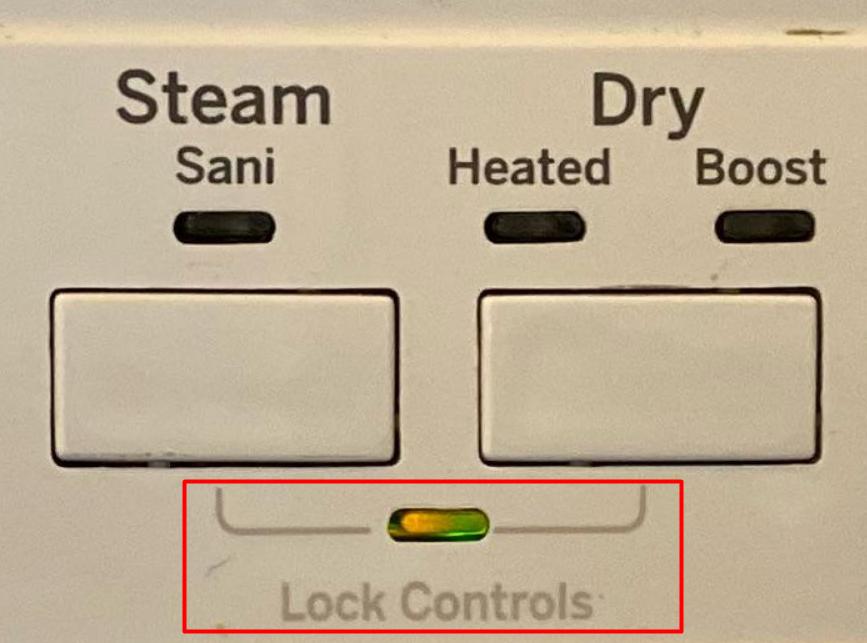
Look for a lit padlock icon on your display. Press and hold the “Heated Dry” or “Lock” button for about 3 seconds until the lock light turns off. The exact button varies by model. Some use the Cycle pad; others require holding Dry/Dry Boost and Steam pads simultaneously. If you’re unsure, check your user manual or try holding the “Start/Reset” button for 3-5 seconds.
Cancel Delay Start
Delay Start sits right next to the cycle pads, so it gets pressed by mistake often. You will find a clock icon or a number (like 2H, 4H, 8H) on the display; that’s your culprit.
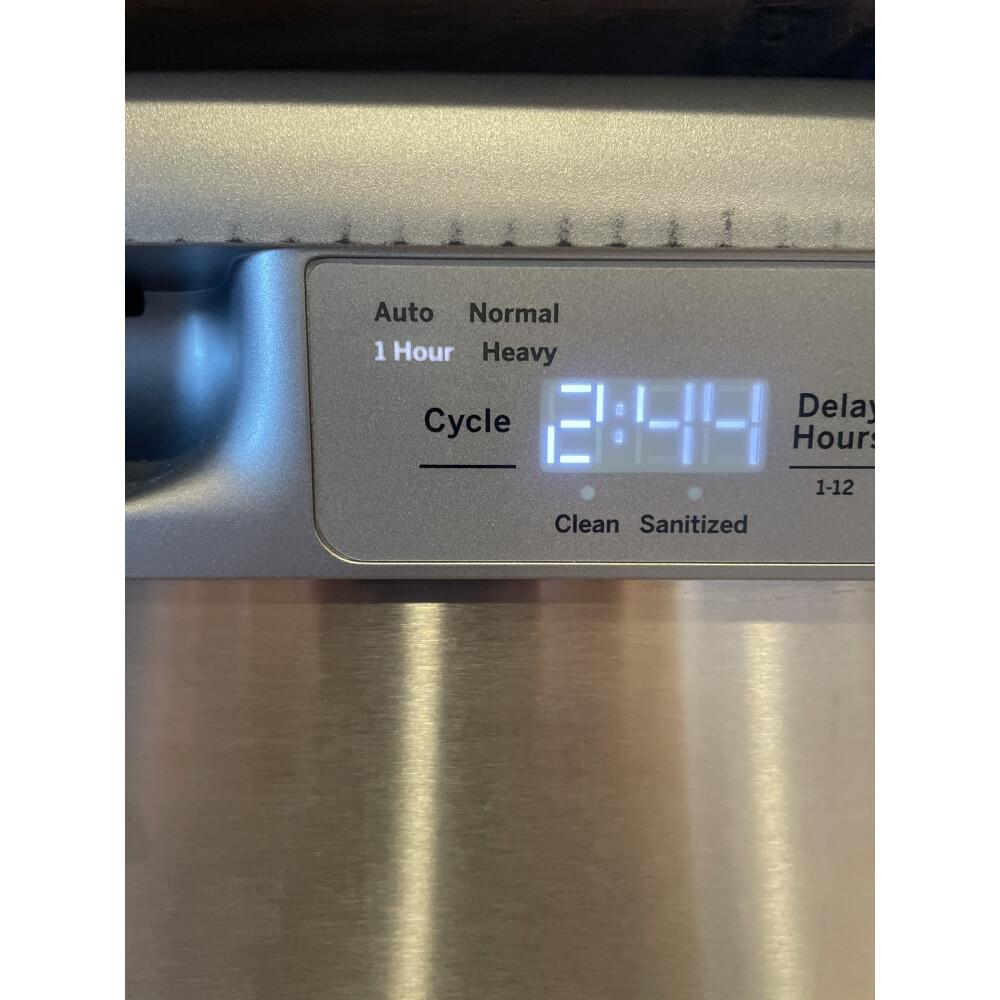
Tap the Delay Start pad again and again until the hours number goes dark. There is no Off setting on that pad, so you have to run it all the way through. Faster option on most models: hold Start or Start/Reset for about 3 seconds. That cancels any cycle, including a delay.
Test the Door Latch and Door Switch
The panel lights up, you hit Start, and the machine beeps 3 times but does nothing else. That triple beep is your dishwasher telling you it does not believe the door is closed.
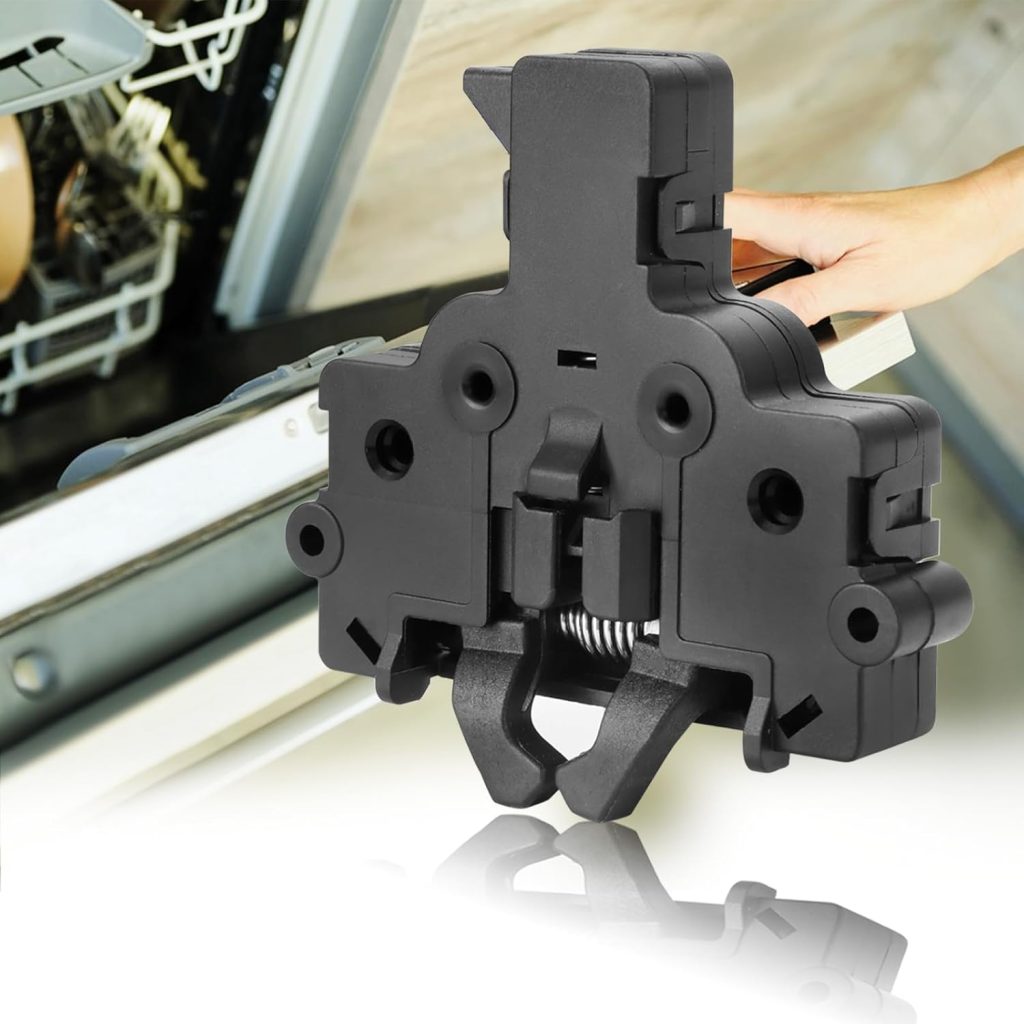
This is classic door latch failure. The dishwasher needs to know the door is securely closed before it’ll run. This is not a board fault; no error code, just three beeps and silence.
Work through these in order:
- Look for the obvious blocker first. A rack pushed in halfway, a pot handle, an oversized platter, or a cutting board leaning against the inner door will all hold the door a few millimeters open. This is the number one cause in cramped San Francisco galley kitchens where nothing quite fits.
- Clean the latch area and the strike on the tub with a damp cloth. Dried detergent gum is real.
- Push the door until you feel and hear a distinct click, then press and hold Start for 2 to 3 seconds. On many models, you need to press Start within a few seconds of closing the door.
- Check physical resistance. Open and close the door slowly. It should catch with a firm, positive snap. A soft, vague close means a worn latch.
- If you are comfortable with a multimeter, cut power, remove the inner door panel to reach the latch assembly, and test the microswitch for continuity while depressing it. A good switch reads essentially zero ohms, roughly 0 to 1 ohm. Anything wildly outside that means replace it.
One nuance the generic guides miss. If water has ever wicked into the touch panel area, moisture can create false door open signals even with a brand new latch and switch. If you have already replaced the latch and still get three beeps, dry the panel thoroughly and inspect the ribbon connector for corrosion before spending more money.
H3: Hard Reset Your GE Dishwasher
Sometimes the control board just gets confused, especially after a power flicker or a cycle interruption. A hard reset clears the glitch and forces the board to reboot.
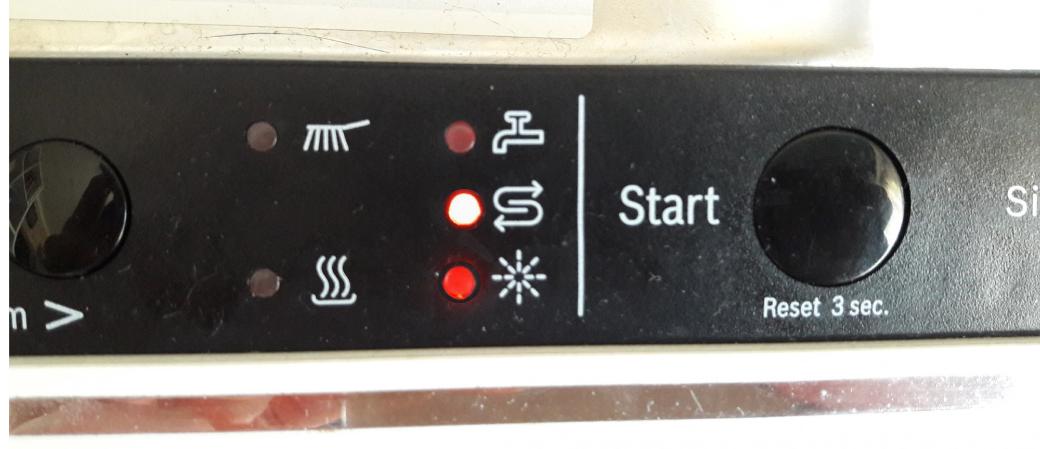
Work through these in order:
- Turn off power to the dishwasher at the circuit breaker.
- Wait at least 5 minutes (this gives the internal capacitors time to fully discharge).
- Turn the breaker back on.
- Wait 30 seconds, then try starting the dishwasher normally.
If the problem returns immediately after resetting, it’s likely a deeper issue: the door latch, wiring, or a failing control board. Contact an authorized technician to diagnose the problem and repair your dishwasher.
Check the Leak Protection / Floor Protect Feature
This one only applies to models with an LCD display. GE dishwashers with the “Floor Protect” feature have a water sensor in the base pan. If it detects even a small leak, it shuts the whole machine down to prevent water damage to your floors
Do not reset your way past this one.
- Shut off the water supply to the dishwasher.
- Look for drips at the toe kick, under the sink, and at the drain hose connection.
- Check the door seal for food, debris, or a twisted spot.
- Clean out the filter area while you are down there.
- Dry the pan. The machine will run again once the leak is fixed.
If you cannot find any water, the float switch or the sensor may be firing falsely. That is a service call. The symptom is simply the LEAK DETECTED message plus a machine that will not take a cycle. If you live upstairs or in a condo tower, treat this as urgent, because water you ignore turns into a claim for the ceiling below yours.
The Panel Is Completely Dead (No Lights, No Beeps)
This is the more serious scenario. No power means either the dishwasher isn’t getting electricity, or something inside has failed. Check the power supply before you blame a part. In older buildings, the supply is the problem more often than the dishwasher is.
1. Check the circuit breaker
- Go to your breaker box and find the switch labeled for the dishwasher.
- Flip it fully to OFF, then firmly back to ON. A tripped breaker often looks like it’s in the middle position, and you need to reset it completely.
2. Check the GFCI/GFI outlet
Current electrical code requires ground fault protection for dwelling unit dishwashers whether they are hardwired or plugged in, so newer and remodeled kitchens have a GFCI in the loop. In
San Francisco kitchens, it is usually a receptacle inside the cabinet under the sink, frequently hidden behind a trash pull-out or a bin of cleaning supplies. Clear the cabinet, find it, and press Reset. If it trips again immediately, stop and call an electrician, because something is actually faulting to ground.
3. Check the wall switch
In some San Francisco kitchens, the dishwasher is wired to a wall switch, often right next to the garbage disposal switch. Make sure it hasn’t been accidentally flipped off.
4. Inspect the junction box
This is a professional job, but we should still explain what really happens. The power to your dishwasher may be cut off at the junction box, where the house wiring connects to the dishwasher.
A professional will inspect the electrical connections using a multimeter to perform a continuity test. Based on the results, they will identify the issue and let you know what action is needed to fix it.
Test the Thermal Fuse with a Multimeter (For DIYers)
⚠️ Safety warning: Do not probe live circuits inside this machine unless you know exactly what you are doing. Turn the breaker off and verify power is dead before disconnecting anything.
Many electronically controlled GE dishwashers use a one-time thermal fuse to protect the control from an overheat event.
Location depends on the model. To test it:
- Remove the bottom kickplate to access the control area.
- Locate the thermal fuse; its position varies by model, but it’s typically on or near the main control board.
- Set your multimeter to continuity mode.
- Touch the probes to each side of the fuse.
- If there’s no continuity (the meter doesn’t beep), the fuse is blown and needs replacement
Note: Not all GE dishwasher models have a thermal fuse; some older units don’t include one. Check your model’s tech sheet to be sure.
Diagnosing the Control Boards (Stop DIYing and Call a Pro )
This section tackles that frustrating pattern: the dishwasher works fine after you unplug it, but fails the next day again. That pattern is almost always a board or a communication fault, not a power supply problem.
How to Read the Main Board LED
Your GE dishwasher has a status LED on the main control board that tells you far more than the front panel does.
- Turn off the breaker.
- Remove the screws holding the lower access panel and toe kick, then take both panels off.
- Look for the control board housing in the lower front of the machine, usually a plastic box near the center or right side.
- Restore power at the breaker, keep your hands out of the compartment, and watch the small green LED.
Commonly reported patterns across GE platforms look like this, and your machine’s tech sheet is the final authority since patterns vary by generation.
| What the LED does | What technicians generally read it as |
| Steady on | Board is powered, door reads closed, machine is in standby |
| One blink every 3 seconds | No communication with the UI board |
| Two blinks every 3 seconds | Delay wash active, or UI configuration not set correctly |
| Four blinks in 3 seconds | Cycle is paused, close the door and press Start |
| Seven blinks every 3 seconds | Trip caused by a fault in the heating circuit |
| Rapid, steady flashing with a dead panel | Control or communication fault, most often the UI board or the harness between the two boards |
| Steady on, but panel totally unresponsive | Main board is alive and doing its job, the UI board has failed |
That last row is the one to memorize. A healthy glow on the main board with a dead front panel is not good news for the board you can see. It is a verdict on the one you cannot.
The UI Board vs. Main Board Trap
GE tech sheets point you to the main board behind the kick plate. But the UI board at the top of the door fails more often, because it sits above an hour of steam. Check the harness between them for corrosion first. Then test the board output to the UI, often about 13.5 volts DC. Voltage plus a dead panel means the UI board failed. No voltage means the main board did.
The Software Update Fix
Some units are not broken, just running buggy software. GE issued service notes for models built around 2016 to 2020, and the sign is a machine you must reset at the breaker to use. You cannot fix this from a computer. Connected models update through the SmartHQ app, and technicians push firmware with SmartHQ Service. Give the dispatcher your model and serial number and ask if a note applies.
Repair or Replace? Is It Worth Fixing?
Bay Area labor is not national average labor, so build your budget accordingly.
| Item | Typical cost |
| Thermal fuse (part) | $10 to $40 |
| Door latch or door switch (part) | $20 to $60 |
| UI board (part) | Roughly $80 to $200 depending on model |
| Main control board (part) | Roughly $150 to $350 depending on model |
| Diagnostic or service call fee, San Francisco | $80 to $150, often credited toward the repair |
| Labor, Bay Area appliance techs | Roughly $90 to $175 per hour, higher for evenings and weekends |
| Board replacement, installed | Commonly $250 to $500 all in |
| New mid range dishwasher, installed | $700 to $1,400 and up, plus removal of the old unit |
We at Sf Repair have GE-authorized technicians who will diagnose the issue and provide an upfront price quote before any repairs begin. This allows you to make an informed decision about whether it’s more cost-effective to repair your dishwasher or replace it with a new one. We also use genuine OEM factory parts backed by a 1-year official parts warranty.
Check Your Warranty Before You Spend Anything
Most people miss this. GE dishwashers carry a one-year limited warranty covering parts and labor for defects in materials or workmanship. But for years two through five from the original purchase date, GE will replace a failed electronic control board free of charge as a part. You pay the labor and the service trip; GE covers the board.
When to DIY
- You own a multimeter and are comfortable working with the power off.
- The machine is under roughly four years old and otherwise cleans well.
- You have isolated the fault to a specific part, ideally a UI board you can source for under about a hundred dollars, a thermal fuse, or a door latch.
- You have a clear path to pull the unit forward. A UI board swap generally requires easing the dishwasher out a few inches and removing the outer door panel; budget two hours the first time.
When to Call a Pro or Replace
- You do not measure 120 volts at the board with power on.
- You see burnt wiring, scorched wire nuts, melted connectors, or smell hot plastic. Stop immediately.
- You have already replaced one board, and the fault came right back.
- The unit is still under warranty. Do not void it with a DIY attempt.
- The machine is over roughly ten years old, and the repair quote lands near half the cost of a replacement.
Frequently Asked Questions
How do I reset a GE dishwasher?
Turn off the breaker or unplug the unit, wait 1 to 5 minutes, then restore power. That clears temporary faults. To cancel a cycle without cutting power, hold Start or Start/Reset for about 3 seconds and let it drain.
Where is the reset button on a GE dishwasher?
There isn’t one. GE dishwashers have no reset button, so the breaker is your reset. The Start/Reset pad only cancels a cycle; it does not reboot the board.
Why does my GE dishwasher beep 3 times and not start?
Three beeps mean the board does not see the door as closed. Check for a rack or pot handle blocking it, clean the latch and strike plate, then close until it clicks and hold Start for 3 seconds. Otherwise, test the door switch.
Why does my GE dishwasher only turn on after I unplug it?
That points to a communication fault between the main control board and the UI board. Check the harness between them for corrosion and pinched wires. Then give GE your model and serial number, since this exact symptom has been fixed with a software update on some models.
How do I put my GE dishwasher into diagnostic mode?
On many models, you hold Start and Cycle Select together for about 5 seconds, then close the door and read the LED pattern. The exact sequence varies, so check the tech sheet behind the lower access panel. Also watch the green light on the main board.
Do GE dishwashers have a thermal fuse, and where is it?
Yes, most electronically controlled models have one. It usually sits on the control board assembly behind the inner door panel with two wires attached, though some models place it near the tank. Test it for continuity with the power off, since a blown fuse never resets.